Skip to content
Are you struggling with inconsistent print quality or premature plate wear? Maintaining your flexographic printing press for sale involves more than just running orders; it requires meticulous care of your sleeves and plates. When you invest in high-end packaging machinery, the longevity of your components directly impacts your profit margins. Improper cleaning is the leading cause of sleeve damage, leading to expensive replacements and downtime. Let’s explore the critical mistakes you must avoid to keep your production line running at peak efficiency.
The Hidden Cost of Poor Sleeve Maintenance
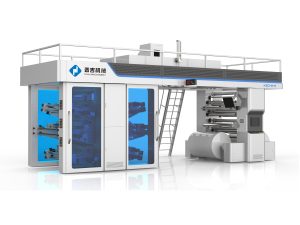
In the fast-paced world of industrial printing, your equipment is only as good as its most delicate part. Flexo sleeves—the lightweight, cylindrical carriers for your printing plates—are engineering marvels designed for quick changeovers and high-speed registration. Whether you are operating a CI flexo printing machine or a stack-type press, these sleeves must maintain a perfect outer diameter and a pristine surface to ensure that ink transfers uniformly.
For procurement managers and production supervisors, the goal is always to maximize the lifespan of every component. A single scratch or a chemical burn on a sleeve doesn’t just ruin one job; it creates a “ghost” defect that will haunt every subsequent run. By mastering the art of cleaning, you don’t just save money on parts; you ensure that your automatic flexographic printing machine delivers the high-definition results your clients expect. Let’s dive into the five most common pitfalls that could be sabotaging your workflow.

Using Aggressive or Non-Compatible Solvents
One of the most frequent errors you can make is choosing the wrong chemical cleaner. Not all flexo sleeves are made of the same material. Some are polyurethane-based, while others use specialized rubbers or composites. Using a solvent that is too “hot” (highly aggressive) can cause the sleeve material to swell, crack, or delaminate.
If you are using solvent-based inks, it is tempting to use the same solvent for cleaning. However, prolonged exposure to these chemicals can penetrate the sleeve’s outer layer. Once a sleeve begins to swell, its diameter changes. In the world of high-precision label printing equipment, even a variation of a few microns can throw off your impression settings, leading to “muddy” prints and dot gain. Always consult your flexo press manufacturer for a list of approved cleaning agents that match your specific sleeve type.
Abrasive Scrubbing and Mechanical Damage
You might think that a stubborn piece of dried ink requires a heavy-duty scrub, but this is a recipe for disaster. Using wire brushes, coarse sponges, or metal scrapers on a flexo sleeve is like using sandpaper on a smartphone screen. These sleeves are designed to be smooth and perfectly concentric.
Mechanical abrasion creates micro-scratches on the surface. These scratches become “ink traps” where pigment settles and dries, making future cleaning even harder. More importantly, heavy scrubbing can create flat spots on the sleeve. When you run these through your automatic flexo press, those flat spots result in uneven pressure, causing light patches in your solids and inconsistent halftones. Instead of force, use “dwell time”—let the correct cleaning solution sit on the ink until it softens, then wipe it away with a lint-free microfiber cloth.
Neglecting the Interior and Mandrel Contact Surface
Many operators focus entirely on the outside of the sleeve because that’s where the ink is. However, the inside of the sleeve is just as important. Flexo sleeves work on an interference-fit principle, often using compressed air to slide onto the mandrel.
If you allow ink, grease, or dust to accumulate inside the sleeve, it won’t seat properly on the mandrel. This leads to “run-out” (vibration), which is the enemy of high-speed printing. If the sleeve doesn’t fit perfectly, your CI flexo printing machine cannot maintain the sub-millimeter registration required for 8-color jobs. Every time you clean the exterior, take a moment to wipe the interior with a dry, clean cloth to ensure a perfect fit for the next setup.
Improper Drying and Chemical Residue
Cleaning isn’t finished until the sleeve is dry. A mistake you must avoid is storing or re-mounting a sleeve while it is still damp with cleaning fluid. Residual chemicals can react with the mounting tape (sticky back) used to hold your plates. This reaction can cause the tape to lose its “tack,” leading to plate lifting during a high-speed run.
Furthermore, if cleaning residue is left on the surface, it can contaminate the next batch of ink. This is particularly problematic if you are switching from a solvent-based cleaning process to a water-based ink run. The chemical incompatibility can cause the ink to “foam” or fail to adhere to the plate correctly. Ensure your cleaning station includes a lint-free drying phase to remove every trace of moisture and chemical film.
Storing Sleeves Vertically or in Sunlight
While not strictly a “cleaning” step, what you do immediately after cleaning is vital. You should never leave your cleaned sleeves leaning against a wall or lying on a dirty floor. Sleeves are susceptible to “ovality”—if left on their side for too long, they can become slightly oval-shaped due to gravity.
Additionally, UV light from the sun or even certain high-intensity factory lights can degrade the polymers in the sleeve over time. After you have spent the time to clean them, they should be stored on specialized horizontal racks or vertical hanging systems in a climate-controlled, dark environment. This prevents the material from becoming brittle and ensures that when you load them back into your packaging machinery, they are as round and true as the day they were manufactured.
Comparison: Manual Cleaning vs. Automatic Cleaning Systems
To help you decide on the best maintenance strategy for your facility, consider this comparison between manual labor and automated sleeve cleaning technology.
| Feature | Manual Cleaning | Automated Sleeve Washers |
| Consistency | Variable (Depends on operator) | High (Standardized cycles) |
| Chemical Usage | High (Often wasted) | Optimized (Recirculated) |
| Risk of Damage | High (Scrubbing/Dropping) | Low (Gentle brushes/Sprays) |
| Labor Cost | High (Time-consuming) | Low (Set and forget) |
| Environmental Impact | Moderate (Fumes/Spills) | Controlled (Filtered systems) |
| Best For | Small shops/Occasional use | High-volume 24/7 production |
How PuJi Machinery Supports Your Maintenance Goals
At PuJi Packaging Machinery, we don’t just provide the hardware; we provide the expertise to help you protect that hardware. With over 20 years in the industry and a 50,000-square-meter manufacturing base, we understand that “ease of maintenance” is a top priority for procurement teams.
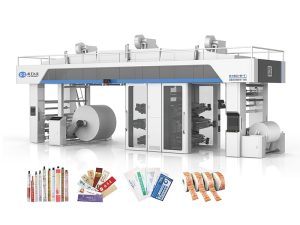
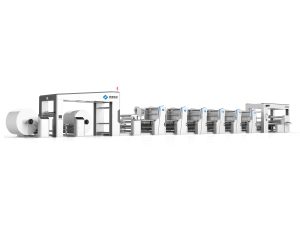
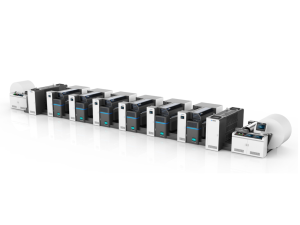
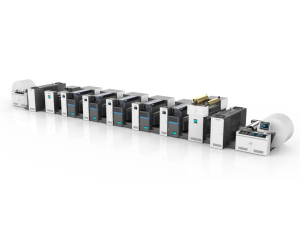
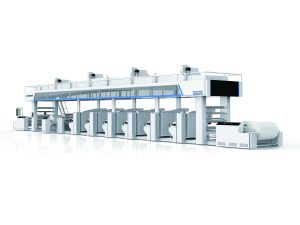
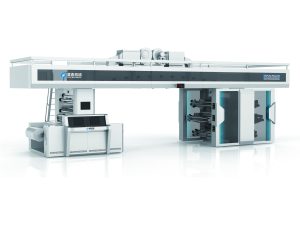
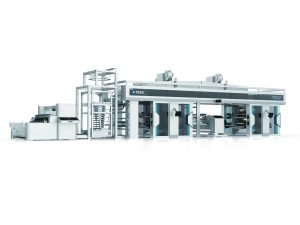
Our automatic flexographic printing machine designs focus on accessibility. We ensure that the print units are designed so that your operators can easily remove sleeves without straining, reducing the risk of accidental drops or impacts. Furthermore, we provide detailed maintenance guides and recommend specific cleaning protocols tailored to the materials used in our machines. Whether you are looking for a flexo press manufacturer that offers robust CI presses or high-speed slitting solutions, we build our equipment with the end-user’s daily challenges in mind.
Investing in a PuJi press means you are getting a machine built with reinforced frames to minimize the vibrations that cause ink buildup in the first place. Our high-precision mandrels are treated to resist corrosion, making the sleeve-mounting process smoother and reducing the need for aggressive cleaning inside the sleeve.
Professional Tips for a Cleaner Workflow
- Clean Immediately: Never let ink dry completely on the sleeve. The longer it sits, the more aggressive the chemicals you’ll need to remove it.
- Use Color-Coded Cloths: Prevent cross-contamination between different ink types by using specific cloths for water-based and solvent-based units.
- Monitor Brush Wear: If you use automatic cleaning systems, check the brushes regularly. Worn brushes can become stiff and scratch the sleeve surface.
- Staff Training: Ensure every operator understands the “No-Scrub” rule. Education is the cheapest way to prevent equipment damage.
FAQs
Q: Can I use an ultrasonic cleaner for my flexo sleeves?
A: Ultrasonic cleaning is excellent for Anilox rollers but can be too intense for some flexo sleeves, potentially causing delamination of the bonded layers. Always check with the sleeve manufacturer first.
Q: How often should I inspect my sleeves for damage?
A: You should perform a visual inspection before every mounting process. Look for nicks, scratches, or any signs of swelling at the edges.
Q: What is the best way to remove stubborn “dried” ink without scrubbing?
A: Use a gel-based cleaner designed for flexo. The gel stays in contact with the ink longer than a liquid, allowing it to chemically break down the resins without physical force.
Q: Why is my sleeve stuck on the mandrel?
A: This is usually caused by ink buildup on the mandrel surface or inside the sleeve. Regular cleaning of both contact surfaces with a specialized lubricant or dry cloth will prevent this.
Conclusion
Your flexo sleeves are the bridge between your digital design and physical reality. By avoiding these five common cleaning mistakes, you protect your print quality and extend the life of your packaging machinery. Remember that precision requires care, and a well-maintained press is a profitable one. Ready to upgrade to a system that prioritizes both performance and durability? Explore the advanced automatic flexographic printing machine solutions at PuJi Packaging Machinery. Visit PuJi Machinery today to learn more about our technology and request a customized quote for your production needs.